Functions that run in a kernel sandbox.
Orva deploys JavaScript, TypeScript and Python onto your own hardware and puts five kernel-enforced boundaries between each call and the host. Measured cold starts are ~50 to 500 ms, and warm hits are ~2 to 15 ms on the reference workload; your function and hardware determine actual latency.
What it is
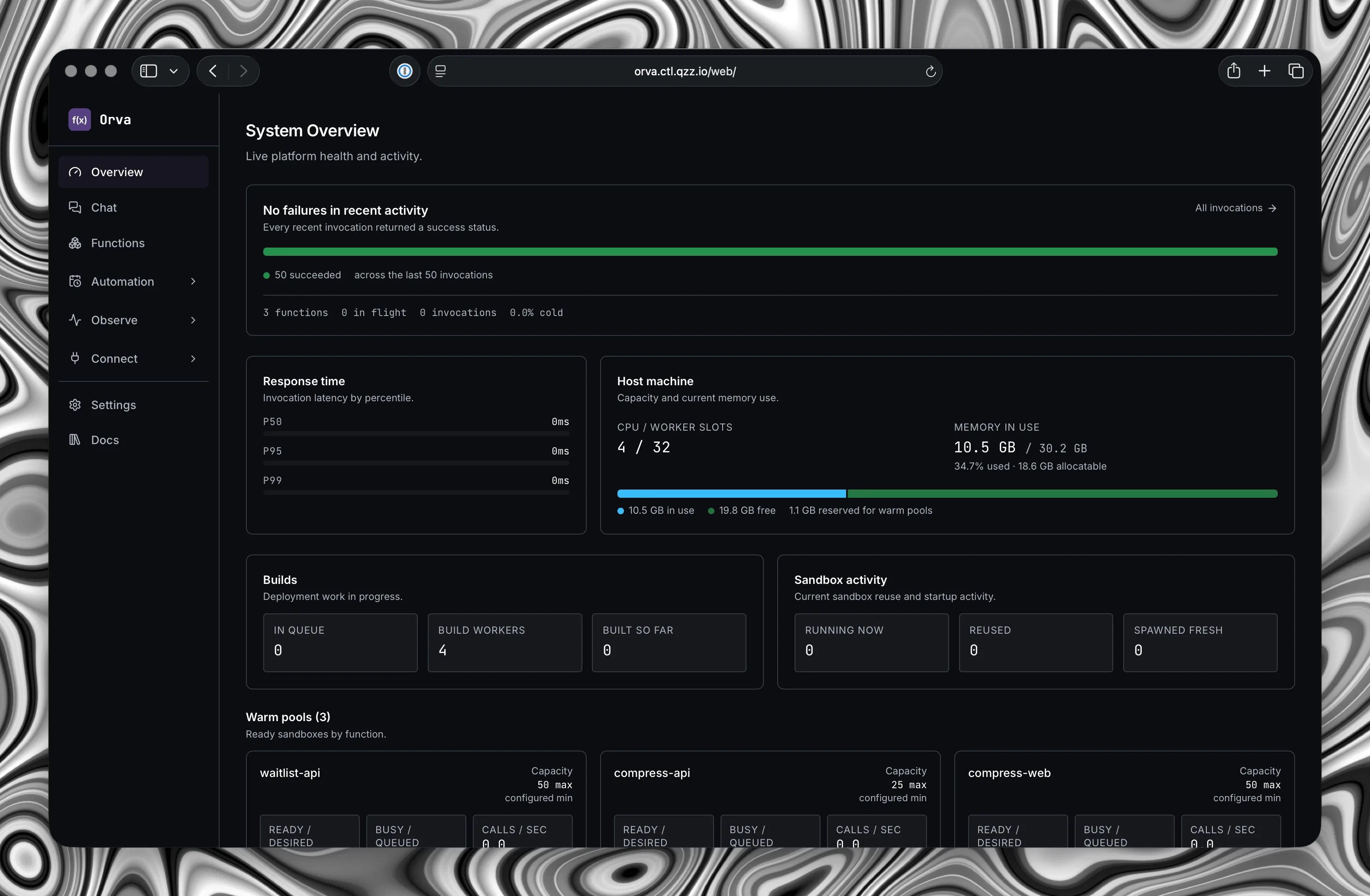
A self-hosted function runtime for a homelab or a single on-premises box. You write a handler, Orva builds it, spawns it inside an nsjail sandbox and serves it over HTTP.
There is no control plane to run, no external database and no telemetry. State lives in one SQLite file and a directory of function versions. It ships with a dashboard, a CLI, an MCP server and an AI assistant that operates the instance through the same API you do.
Write
A handler, and nothing else to learn.
There are two runtimes, node and python, both latest-stable. TypeScript is a first-class path on node: it compiles at build time and runs as JavaScript, so it is not a third runtime to operate.
exports.handler = async (event) => {
  // event.body is a raw string. Always parse it.
  const body = event.body ? JSON.parse(event.body) : {}

  return {
    statusCode: 200,
    headers: { 'Content-Type': 'application/json' },
    body: { hello: body.name || 'world' },
  }
}import json
def handler(event):
# event["body"] is a raw string. Always parse it.
raw = event.get("body") or ""
body = json.loads(raw) if raw else {}
return {
"statusCode": 200,
"headers": {"Content-Type": "application/json"},
"body": {"hello": body.get("name", "world")},
}The SDK is already there.
Storage, function-to-function calls, background jobs and schedules, importable from any handler. Nothing to install, nothing to wire up.
const { kv } = require('orva')

exports.handler = async (event) => {
  await kv.put('user:42', { name: 'Ada' }, { ttlSeconds: 3600 })
  const user = await kv.get('user:42', null)

  return { statusCode: 200, body: JSON.stringify(user) }
}from orva import kv
def handler(event):
# Python KV is synchronous.
kv.put("user:42", {"name": "Ada"}, ttl_seconds=3600)
user = kv.get("user:42", None)
return {"statusCode": 200, "body": user}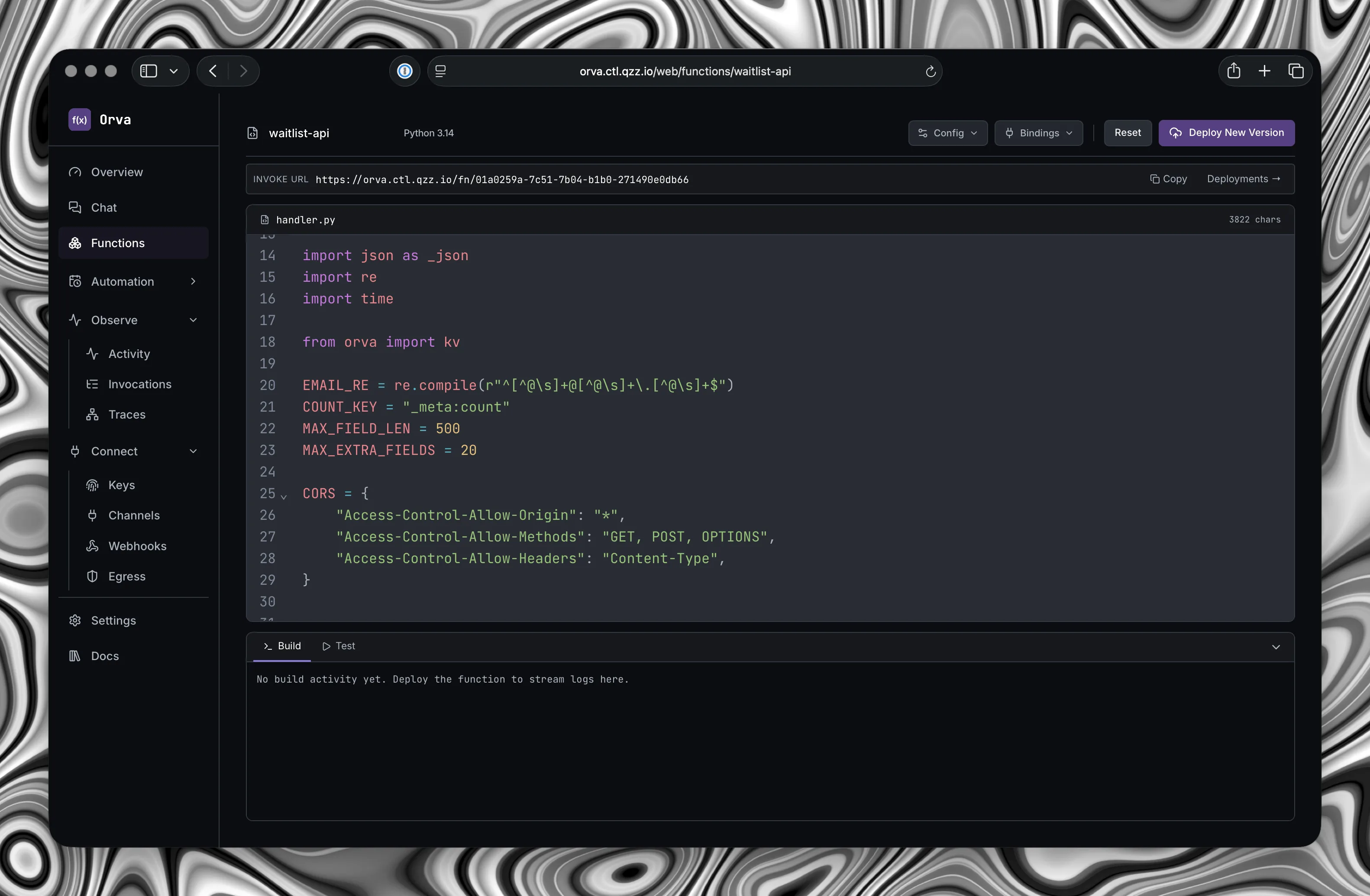
Isolation
Five layers, all enforced by the kernel.
Orva configures the boundaries and trusts the kernel to hold them. The gaps between these layers are not enforced by Orva code.
- 01
- User namespace
- Root inside the sandbox is not root on the host. The capability set is dropped before your code gets to run.
- 02
- Read-only root
- The language runtime is mounted read-only, and nothing else on the host is visible from inside at all.
- 03
- Private filesystem
- Your code is read-only. Scratch space is private to the sandbox and wiped the moment the worker exits, so nothing survives a call by accident.
- 04
- cgroup v2
- Memory, CPU and process limits are set per sandbox. A runaway handler spends its own budget, never the host's.
- 05
- seccomp allowlist
- About 150 syscalls are blocked outright, by the kernel, rather than by a check Orva performs and could get wrong.
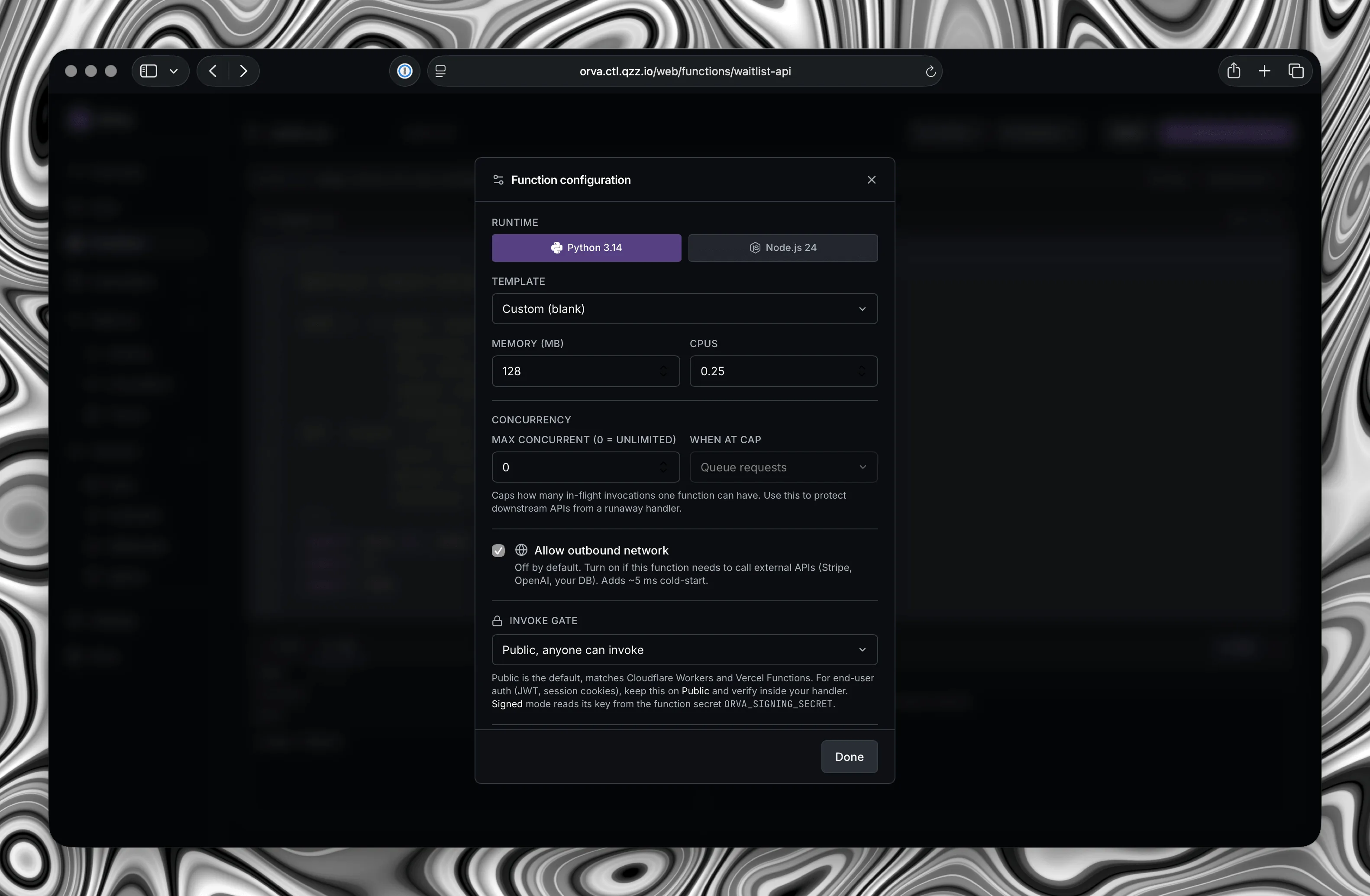
Network is the one boundary that is a setting rather than an invariant. none, the default, is an isolated network namespace with loopback only. egress opts a function into outbound traffic through a userspace network stack, where the blocklist is compiled into that sandbox's own configuration. No host firewall table is ever created.
Operate
What you get with it.
- 01
- KV store
- Per-function key/value storage with optional expiry, in the same SQLite file as everything else. There is no Redis to run alongside it.
- 02
- Function to function
- Call one function from another directly, without the request leaving the box.
- 03
- Streaming
- Send a response as it is produced instead of buffering the whole thing first.
- 04
- Background jobs
- Move slow work off the request path and answer the caller immediately.
- 05
- Cron schedules
- Run a function on a schedule, declared in code or set from the dashboard.
- 06
- Webhooks
- Take signed deliveries from other systems, with verification handled for you.
- 07
- Traces
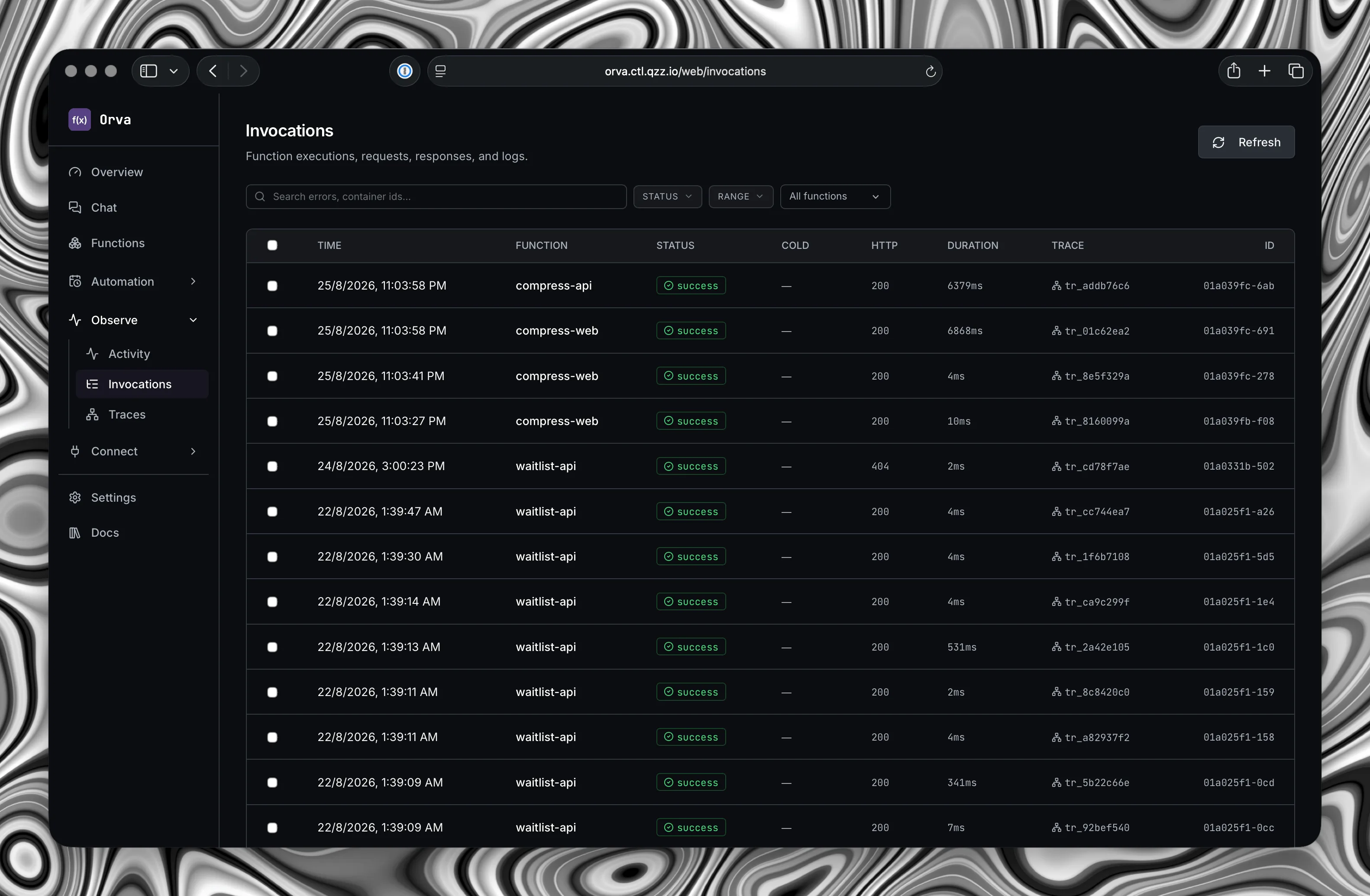
- Follow one request across every function it touched, with timings and outliers marked.
- 08
- Invocation logs
- Each execution's request, response and log lines, kept for as long as you choose.
- 09
- Activity feed
- A running record of everything that touched the instance, and who did it.
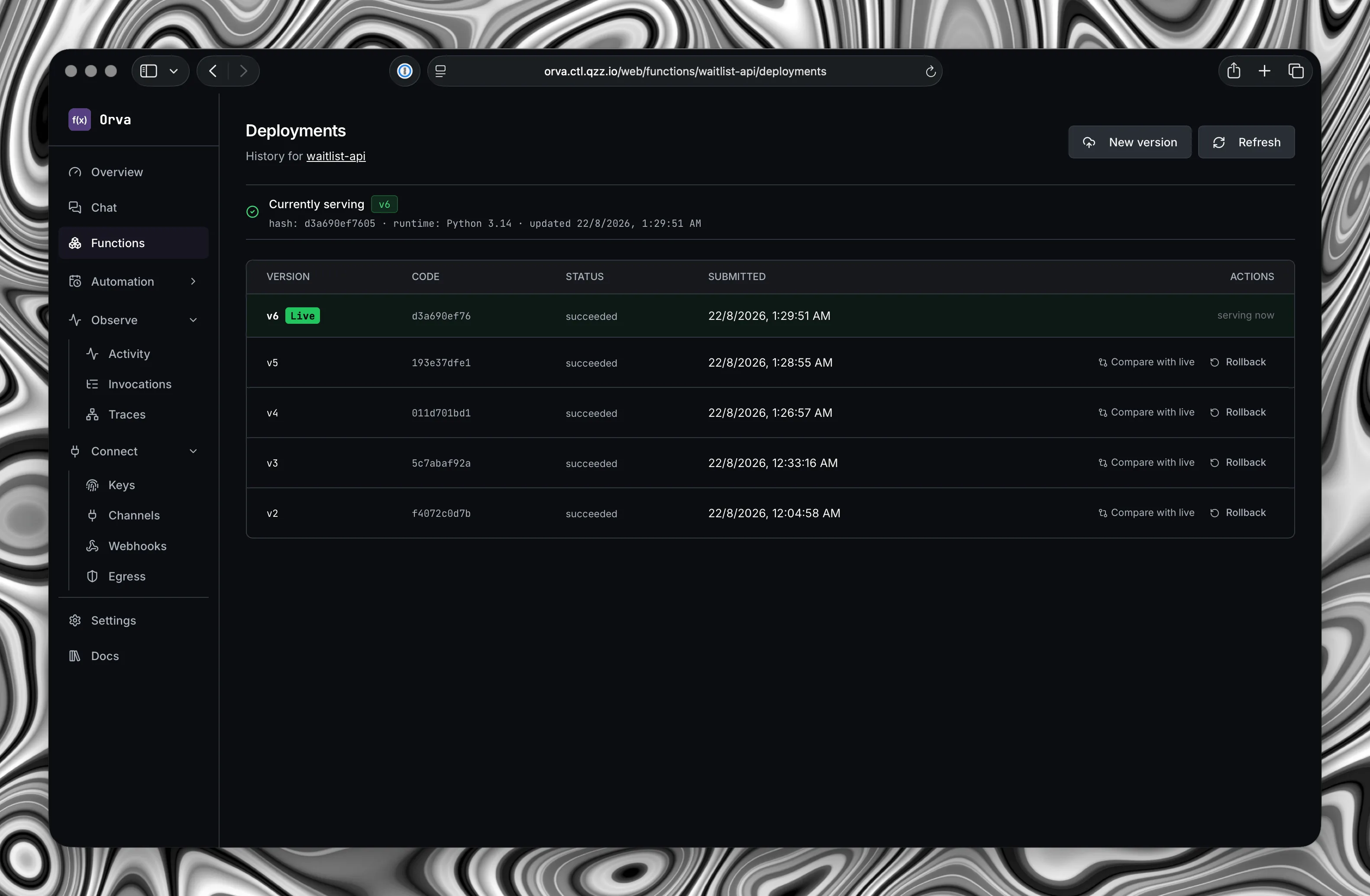
- 10
- Deployments
- Every version kept, with a diff against what is live and rollback in one click.
- 11
- Warm pools
- Idle workers scaled to real demand, so the common path skips the cold start entirely.
- 12
- Egress control
- Outbound network is off until a function asks for it, and the policy lives with the sandbox.
- 13
- API keys
- Scoped keys you can hand to CI or to a person, and revoke one at a time.
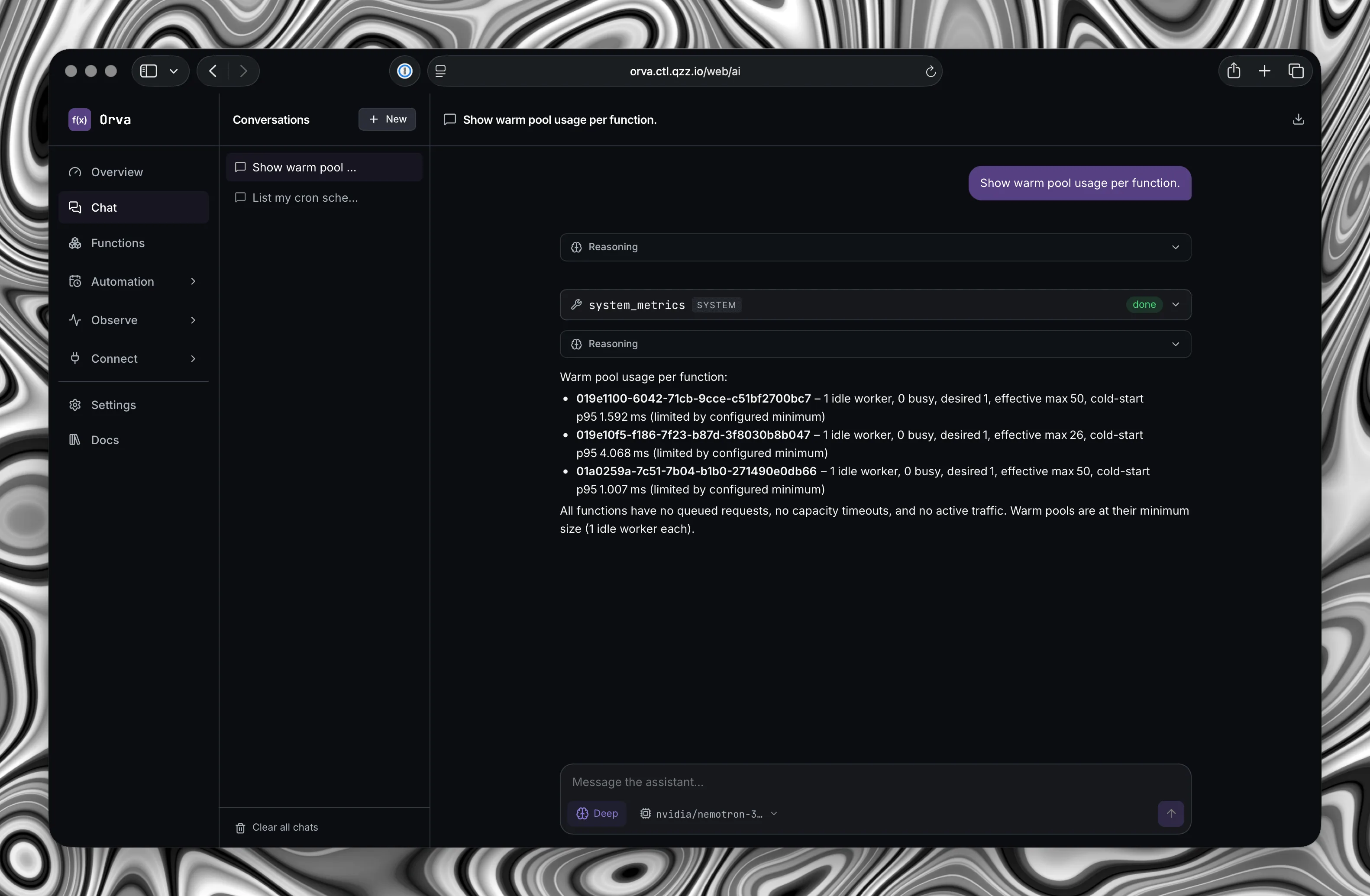
- 14
- MCP server
- 73 tools over Model Context Protocol, so an agent can operate the instance the way you would.
- 15
- AI assistant
- An assistant inside the dashboard driving those same tools, on your own provider keys.
What it is not
The honest boundary.
- 01
- Not multi-tenant
- Orva is single-tenant by design. Every function on an instance shares one host and one trust boundary. It is not built to run code from people you do not trust.
- 02
- Not a defence against kernel zero-days
- No seccomp filter is bulletproof. The threat model is explicit that a kernel-level zero-day, and side-channel attacks generally, are out of scope.
- 03
- Not a managed platform
- There is no hosted control plane, no SLA and no one on call but you. That is the point, and it is also the cost.
- 04
- Not a horizontal cluster
- One node, one SQLite file. Capacity depends on the function runtime, the database working set, storage speed and available CPU and memory. Orva bounds admission under pressure and reports rejections and telemetry shedding; measure your own workload instead of relying on a universal requests-per-second figure.
Install
However you already run things.
One container, one volume, one port. The image carries the sandbox runtime with it, so there is nothing to install on the host alongside it.
- 01
Compose
The short path. Dashboard on localhost:3000.
$ curl -fsSL https://raw.githubusercontent.com/Harsh-2002/Orva/main/docker-compose.yml -o docker-compose.yml $ docker compose up -d # http://localhost:3000 - 02
Docker
The same image, without a Compose file.
$ docker run -d --name orva -p 8443:8443 \ --pid host --cgroupns host \ --cap-add SYS_ADMIN \ --security-opt seccomp=unconfined \ --security-opt apparmor=unconfined \ --security-opt systempaths=unconfined \ --device /dev/net/tun \ -v orva-data:/var/lib/orva \ -v /sys/fs/cgroup:/sys/fs/cgroup:rw \ ghcr.io/harsh-2002/orva:latest - 03
Bare metal
A service, from a checksum-verified download.
$ curl -fsSL https://github.com/Harsh-2002/Orva/releases/latest/download/install.sh | sh - 04
CLI only
Just the client, for an instance you already run.
$ curl -fsSL https://github.com/Harsh-2002/Orva/releases/latest/download/install-cli.sh | sh$ irm https://github.com/Harsh-2002/Orva/releases/latest/download/install-cli.ps1 | iex
Deploy something.
Point the CLI at your instance once, then it is three lines to a live endpoint.
$ orva deploy ./hello --name hello --runtime python
$ orva invoke hello --body '{"name":"Ada"}'
{"hello":"Ada"}Configuration, the full SDK surface, the security model and the things worth knowing before your first deploy are all in the documentation.
Open source
Apache 2.0, and yours to change.
The runtime, the dashboard, the CLI and the MCP server are one repository. Read it, fork it, run it for as long as you like without asking anyone. Issues and pull requests are welcome, and so is telling us where the documentation is wrong.